
Processing Log
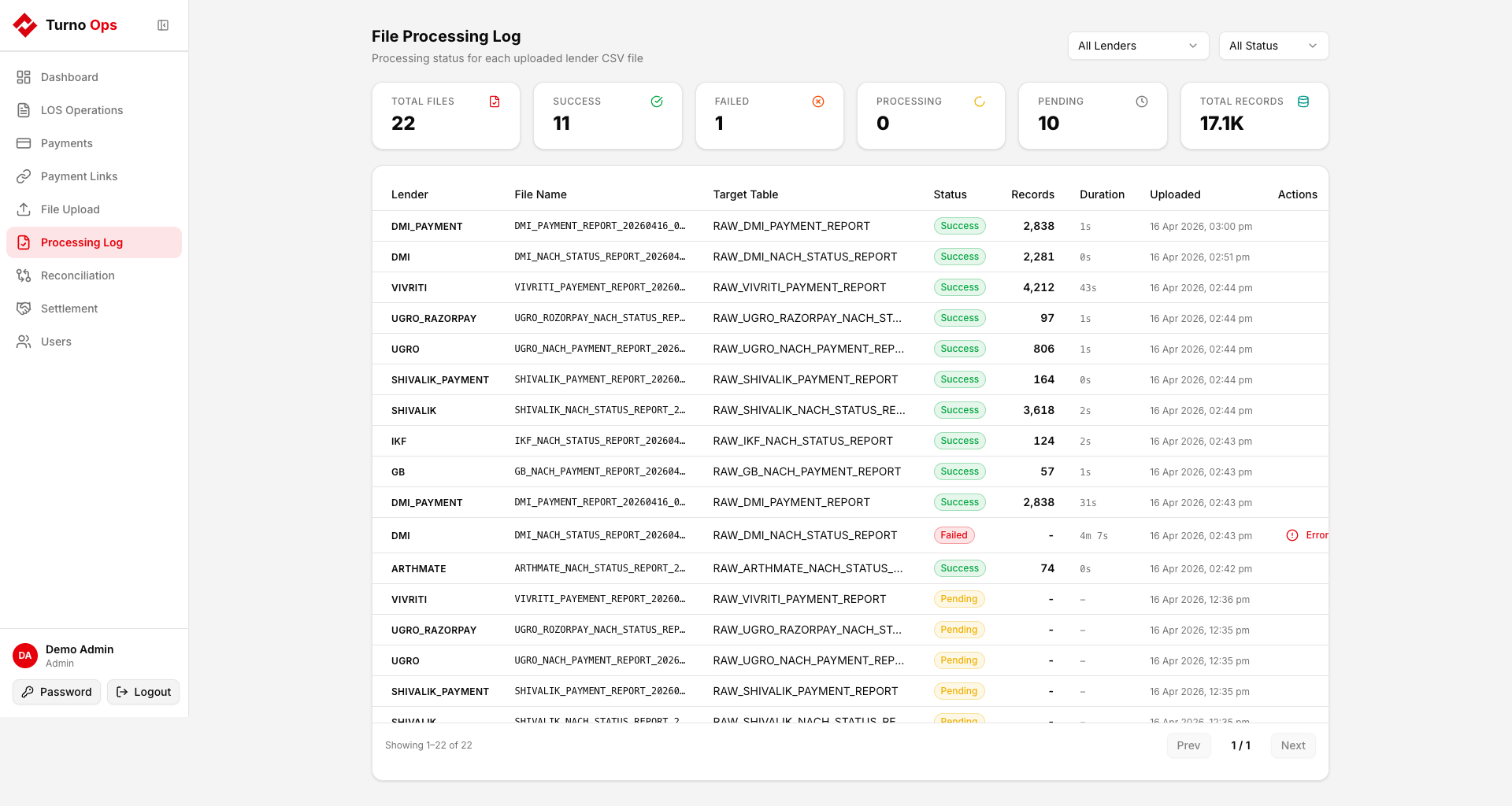
The Processing Log shows the status of every file that has been uploaded and processed through the pipeline.
Overview
The page displays summary statistics at the top:
- Total files processed
- Success count
- Failed count
- Processing (currently in progress)
- Pending (queued, waiting for RQ worker)
- Total Records loaded across all successful files
File Details
Each row shows:
- Lender - which lender config was used
- File Name - S3 filename
- Target Table - RAW table the data was loaded into
- Status - pending / processing / success / failed
- Records - number of rows loaded (after filtering)
- Started - when processing began
- Completed - when processing finished
- Error - error message if failed
Status Lifecycle
pending -> processing -> success
-> failed- pending - file uploaded to S3, RQ job enqueued
- processing - RQ worker picked up the job
- success - data loaded into RAW table
- failed - processing error (S3 download timeout, schema mismatch, etc.)
Retrying Failed Files
Failed files can be retried by:
- Fixing the root cause (e.g., network timeout, wrong file format)
- Re-uploading the file from the File Upload tab
The duplicate detection will block if the same file content was already processed successfully. Clear the file hash to allow re-upload:
sql
UPDATE "RAW"."RAW_S3_FILE_PROCESSING_LOG"
SET file_hash = NULL
WHERE lender_key = '{lender}' AND status = 'failed';
Database Table
RAW.RAW_S3_FILE_PROCESSING_LOG
| Column | Type | Description |
|---|---|---|
lender_key | text | Lender identifier |
s3_key | text | Full S3 object key (unique) |
table_name | text | Target RAW table |
status | text | pending / processing / success / failed |
records_loaded | int | Rows loaded on success |
file_hash | text | MD5 of file content (duplicate detection) |
started_at | timestamptz | Processing start time |
completed_at | timestamptz | Processing completion time |
error_message | text | Error details if failed |